Guides
Making Tax Digital, explained for landlords and the self-employed
Practical answers to the questions landlords and self-employed people ask most about MTD, with what to do about each one.
What is Making Tax Digital, and what does it mean for landlords?
Making Tax Digital is more frequent, not more complicated. Here is exactly what changes for landlords, and what stays the same.
Read the guide →Do you actually have to use Making Tax Digital? The income thresholds
Whether you need MTD comes down to one number, your qualifying income, and the date it applies. Here are the thresholds and how the income is measured.
Read the guide →Every Making Tax Digital deadline for landlords and the self-employed
Four quarterly updates and one tax return. Here are all the dates, the calendar-quarter option, and how the penalty points work.
Read the guide →Reporting property income to HMRC
To file through Making Tax Digital, HMRC needs a property business on your record. Here is how that works and how to get one if you don’t have it yet.
Read the guide →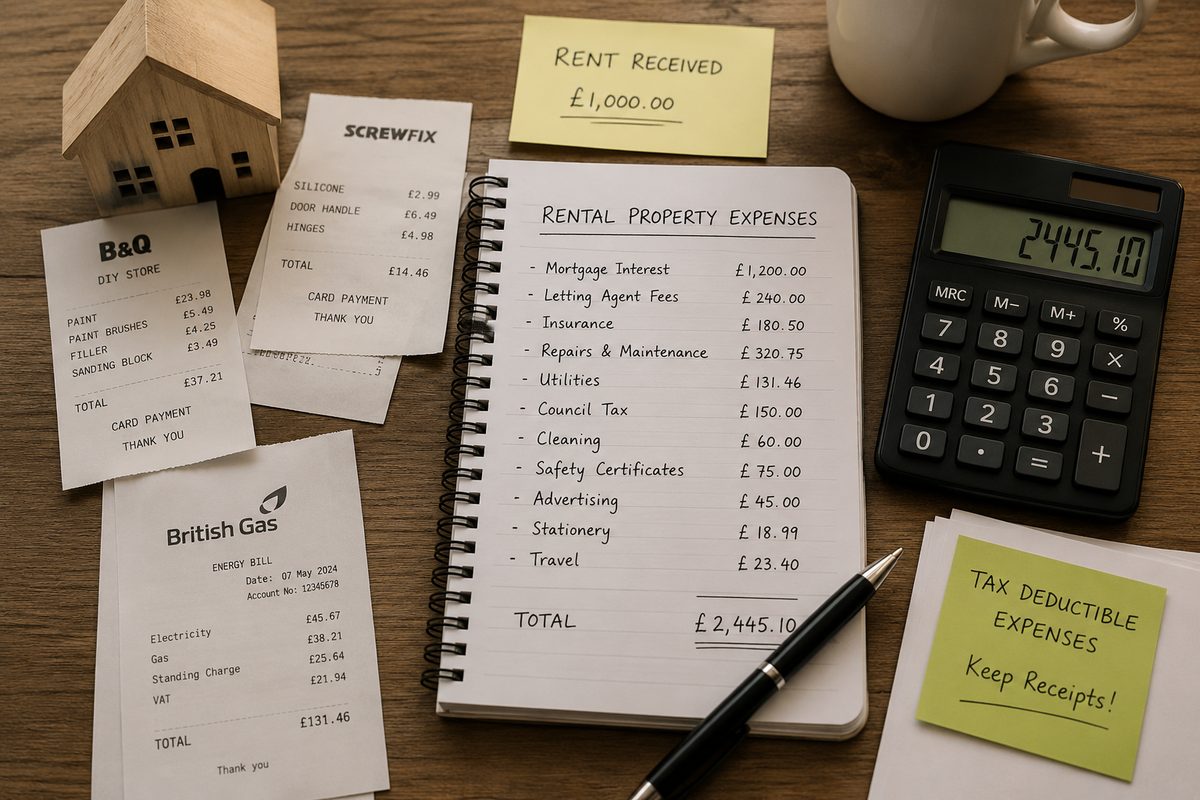
Making Tax Digital when you have income besides property
Property income goes in your quarterly updates. A salary, pension, savings interest or dividends go in your tax return at the end of the year. Here is how the two fit together.
Read the guide →
Free Making Tax Digital software for a single property
If you let one property, you can keep digital records and file to HMRC for free. Here is exactly what’s included, and where the paid plan begins.
Read the guide →
Using Making Tax Digital software alongside your accountant
MTD doesn’t mean dropping your accountant. Here is how tidy digital records make their job easier — and yours cheaper.
Read the guide →How to sign up for Making Tax Digital for Income Tax
Signing up is a short form on GOV.UK, but it catches people out because software cannot do it for you. Here is the order to do things in.
Read the guide →Does your Making Tax Digital software do the tax return?
Quarterly updates are only part of Making Tax Digital for Income Tax. After the tax year ends you also submit a tax return through software, so it is worth checking now that yours can do it.
Read the guide →Missed your first MTD quarterly update? How to catch up
Missing the first quarterly deadline is fixable with one submission. Send the overdue update with your figures for the year so far, then send the next one by its own deadline.
Read the guide →Standard or calendar quarters for Making Tax Digital: which should you choose?
Making Tax Digital for Income Tax gives you two ways to divide the year into quarters. The deadlines are identical, and calendar quarters are only for businesses whose accounts run from 1 April to 31 March.
Read the guide →Making Tax Digital for the self-employed: what changes and when
If you work for yourself, Making Tax Digital for Income Tax changes how you keep records and report to HMRC, though the tax you pay is worked out the same way. Here is who is affected, what you send and when, and what happens if you are late.
Read the guide →Self-employed expenses under MTD: which category do your costs go in?
Your quarterly updates send HMRC your business costs grouped into set categories. Here is what goes where, what you cannot claim, and what to do if you put something in the wrong place.
Read the guide →CIS subcontractors and Making Tax Digital: how to report your income
If contractors take tax off your pay under the Construction Industry Scheme, Making Tax Digital still applies to you. You report what you earned before deductions, and the tax already taken counts towards your bill.
Read the guide →Self-employed and a landlord: how Making Tax Digital works with two income sources
If you run a business and also let property, HMRC looks at both incomes together when deciding whether you need Making Tax Digital. Once you're in, each income gets its own quarterly updates, and both end up on one tax return.
Read the guide →Free landlord spreadsheet template for Making Tax Digital
Keep your rent and expenses in a spreadsheet you already understand, then bring it into Quarterwise in one upload when an update is due.
Read the guide →Free self-employed spreadsheet template for Making Tax Digital
Record your takings and costs in Excel as you go, then bring the whole file into Quarterwise when a quarterly update is due.
Read the guide →Consolidated expenses: sending HMRC one expenses total
If your self-employed turnover is under £90,000, your quarterly updates can show your expenses as a single figure instead of splitting them into categories.
Read the guide →Mortgage interest and tax: how landlords get relief
If you let a home, the interest on its mortgage isn’t taken off your rent like other costs. HMRC reduces your tax bill by 20% of it instead.
Read the guide →Class 4 National Insurance: what the self-employed pay
When you work for yourself, National Insurance isn’t taken from wages. You pay Class 4 on your business profit, with your Income Tax.
Read the guide →For short-term let hosts
Be ready for Making Tax Digital.
Set up your business or first property in a few seconds. Free for your self-employment or one property, no card needed.